
A calculator that wears a new look every swipe.
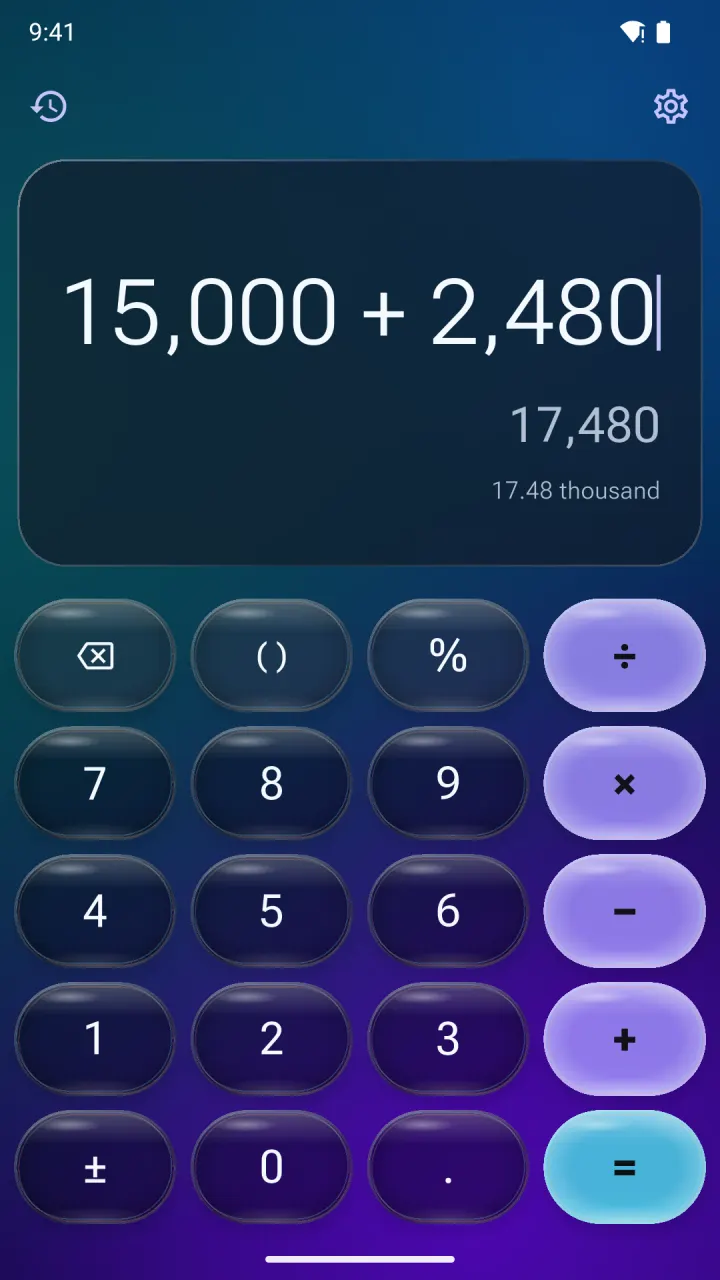
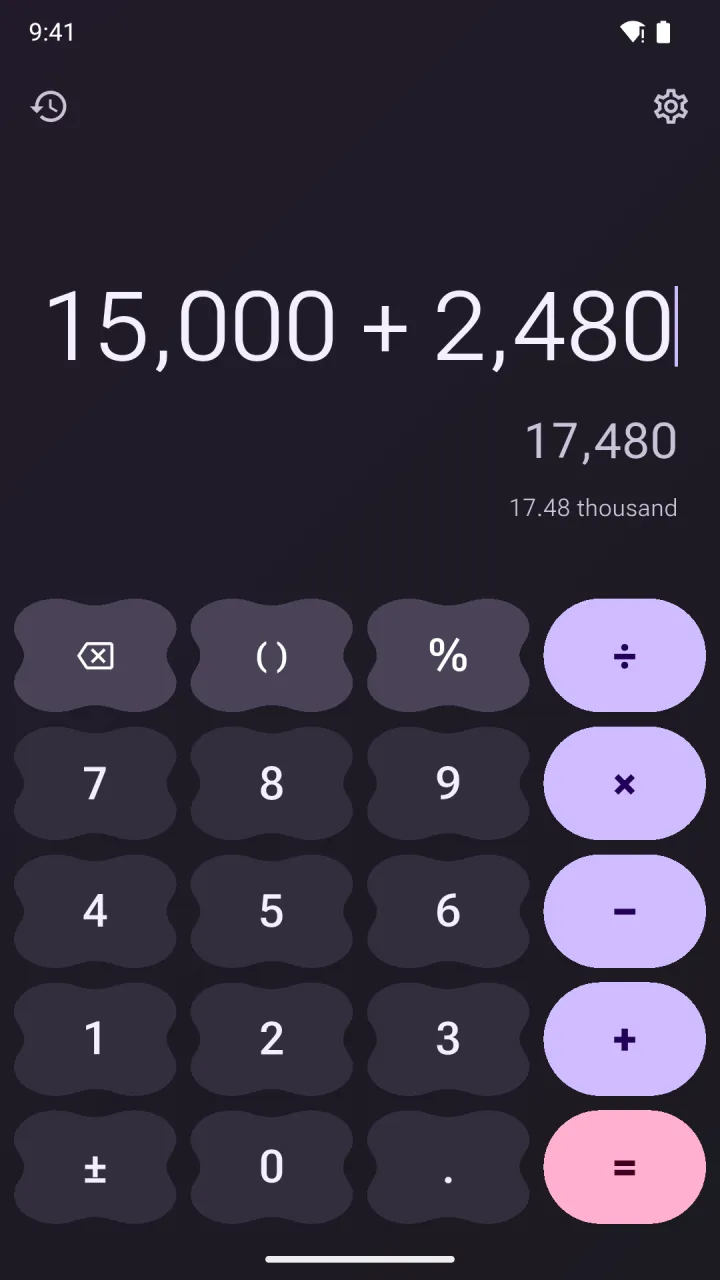
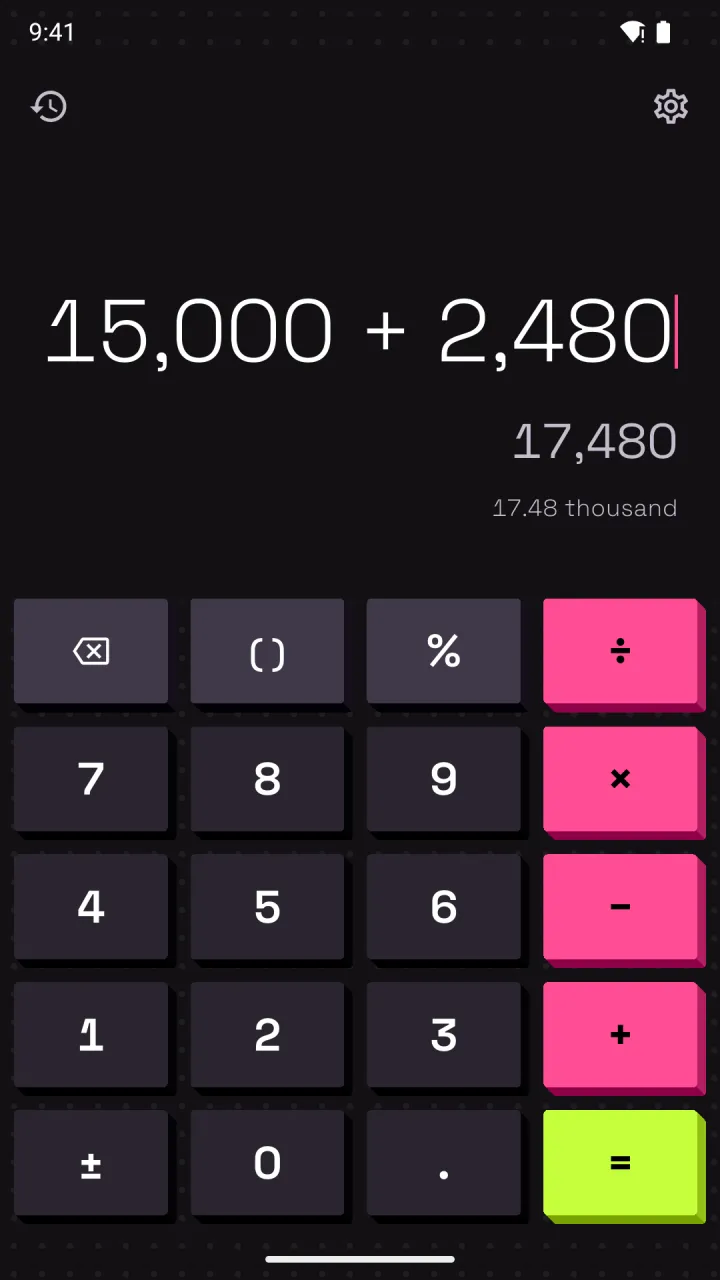
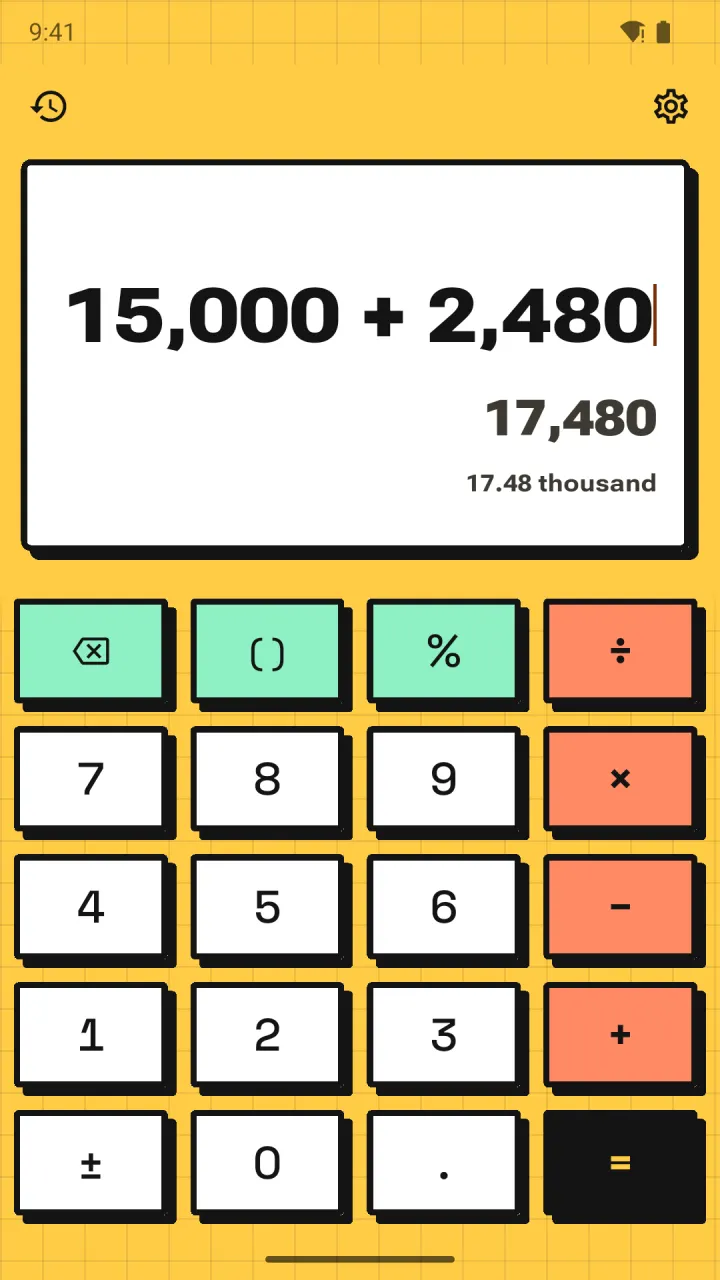
Swipe the display and Calsee generates a fresh theme. The sum you were typing stays exactly where it was, and the answer is exact.
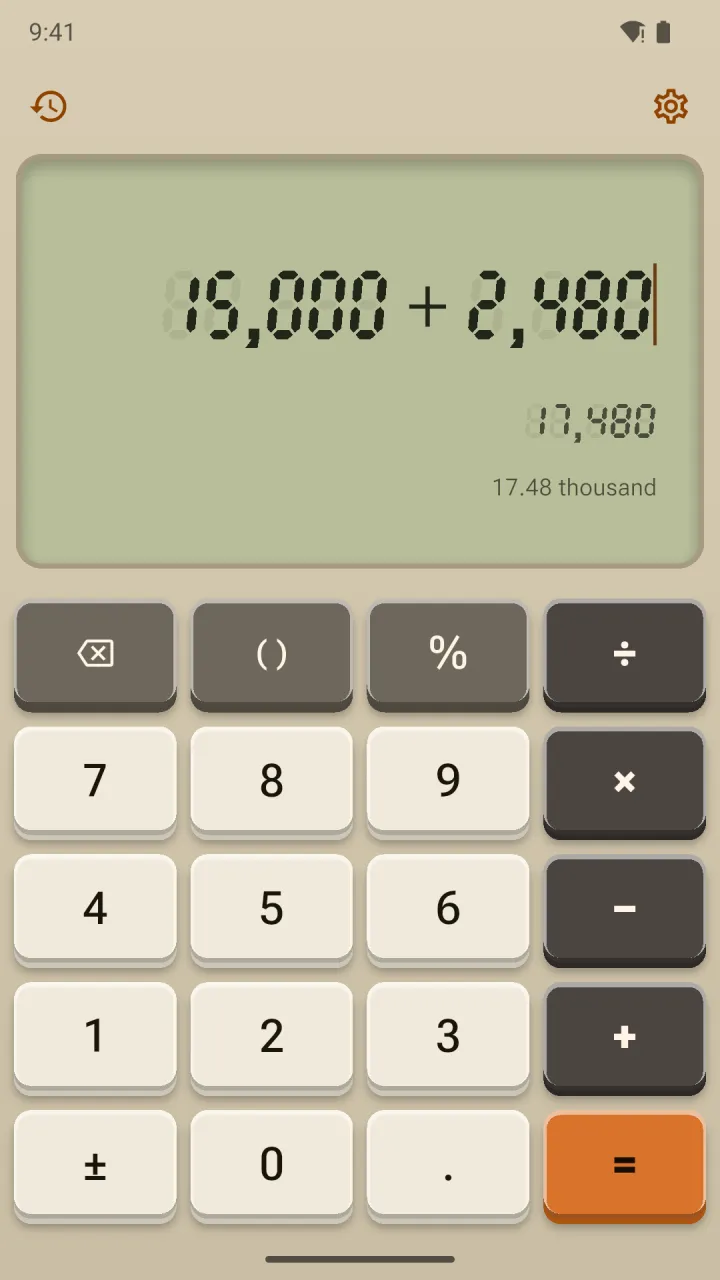
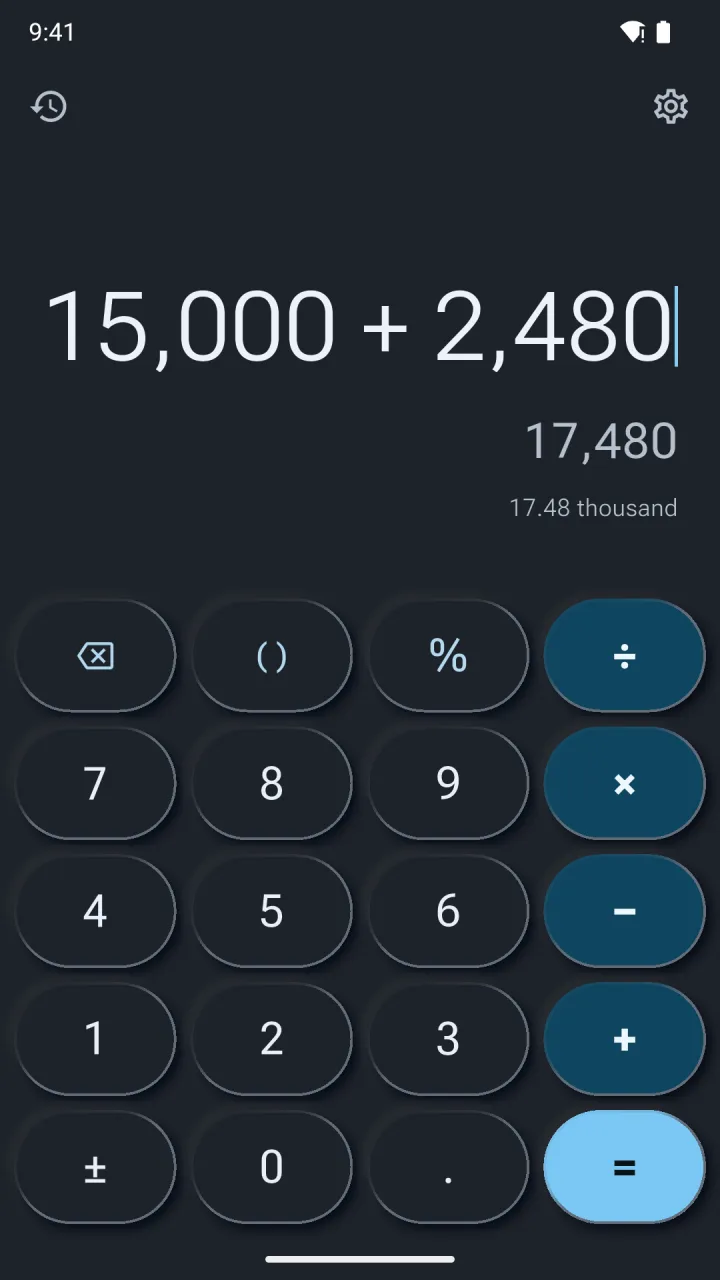
Ten of millions
Scroll the phones sideways to see more themes.Swipe the phones, or press ] and [ like on Calsee for desktop. The page changes with them.
Big numbers, written out.
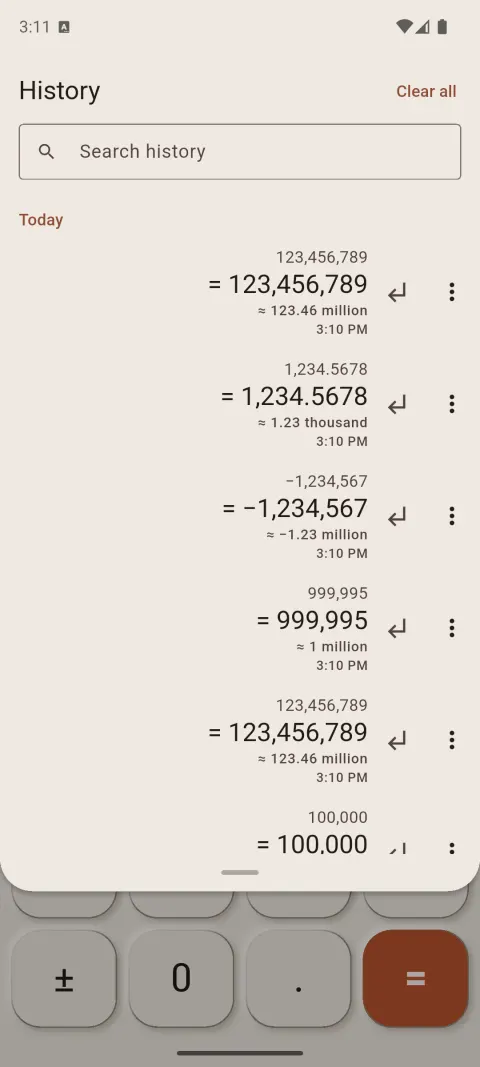
Under every result, Calsee writes the amount in words: “≈ 12.35 crore” at a glance, every word with a tap. Lakh and crore or million and billion, in English or Hindi. Try it here, or open the full number to words converter.
Up to 21 digits, with an optional minus sign and decimal point. The amount appears below in three ways.
123456789
- Lakh and crore
- 12,34,56,789
- ≈ 12.35 crore
- twelve crore thirty-four lakh fifty-six thousand seven hundred eighty-nine
- Million and billion
- 123,456,789
- ≈ 123.46 million
- one hundred twenty-three million four hundred fifty-six thousand seven hundred eighty-nine
- हिन्दी
- 12,34,56,789
- ≈ 12.35 करोड़
- बारह करोड़ चौंतीस लाख छप्पन हज़ार सात सौ नवासी
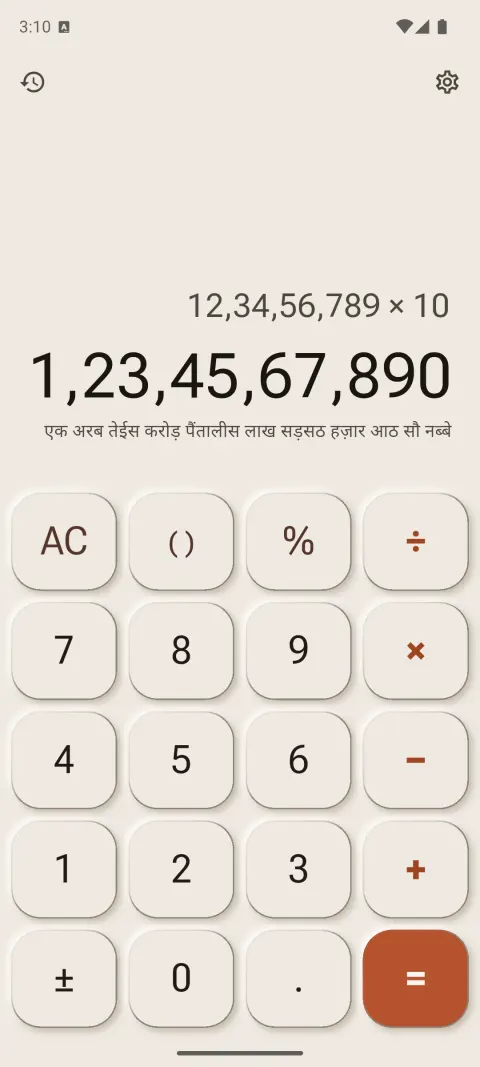
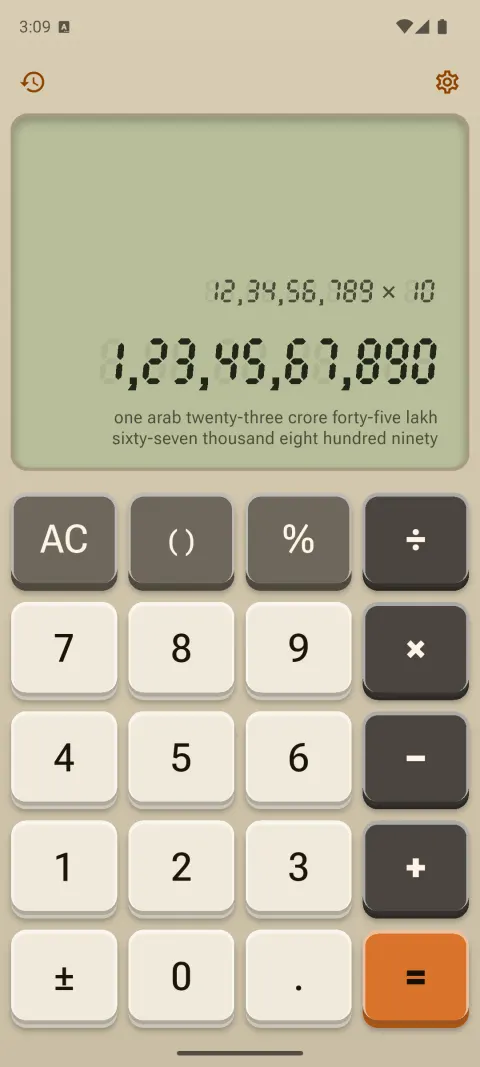
- “≈” means the words are rounded. No “≈”, no rounding.
- Tap the line to switch between short and full words; long-press to copy it.
- History rows keep the short amount, too.
Made for the shop counter.
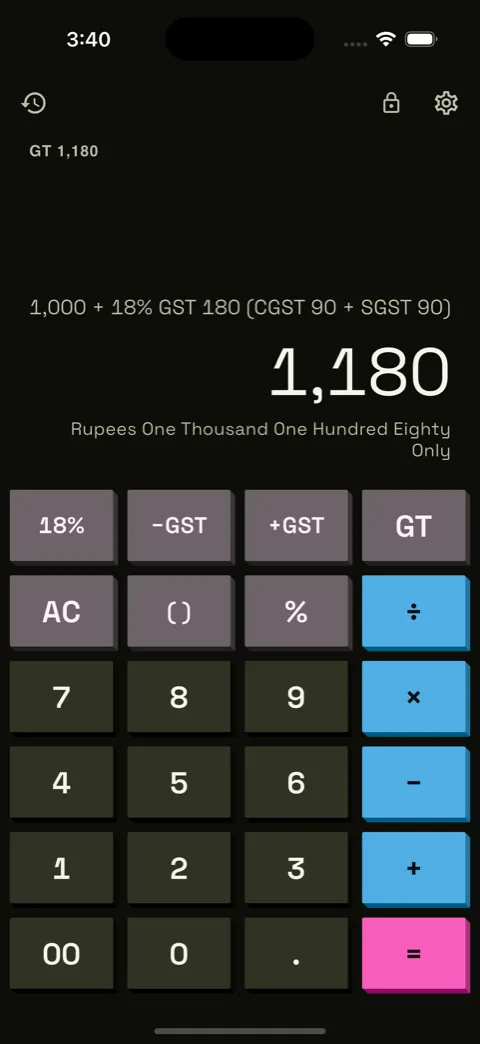
Switch on Business mode in Settings › Calculator mode and the keypad gains GST keys, a grand total and a 00 key. Built for Indian invoices, bills and cheques.
- GST in one tap
- +GST adds it, −GST takes it out of an inclusive price. Tap the rate key to switch between 5, 18 and 40%, or set your own rates. There’s a GST calculator on the web, too.
- The split, shown
- “1,000 + 18% GST 180 (CGST 90 + SGST 90)” above the answer, or IGST for sales between states.
- A running grand total
- Every answer adds to the grand total, shown as “GT 1,950”. Tap GT to see it, and tap again to clear it.
- Cheque wording
- “Rupees One Thousand One Hundred Eighty Only”, in English or Hindi, ready to copy. Try the cheque amount in words tool.
- Rounded to paise
- Optionally keeps money to two decimal places, rounding tax the way an invoice does.
- The 00 key
- Types two zeros at once for amounts like 25,000.
Scientific mode and a converter.
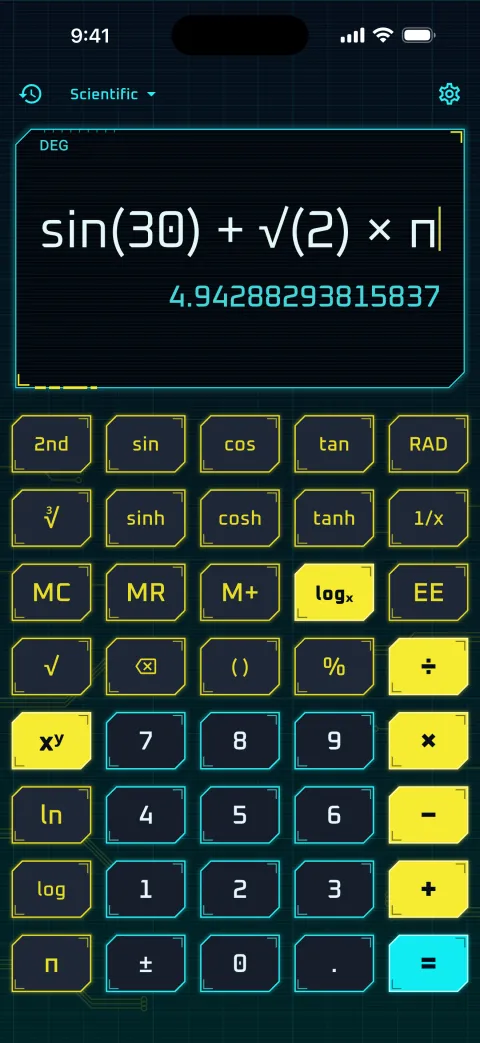
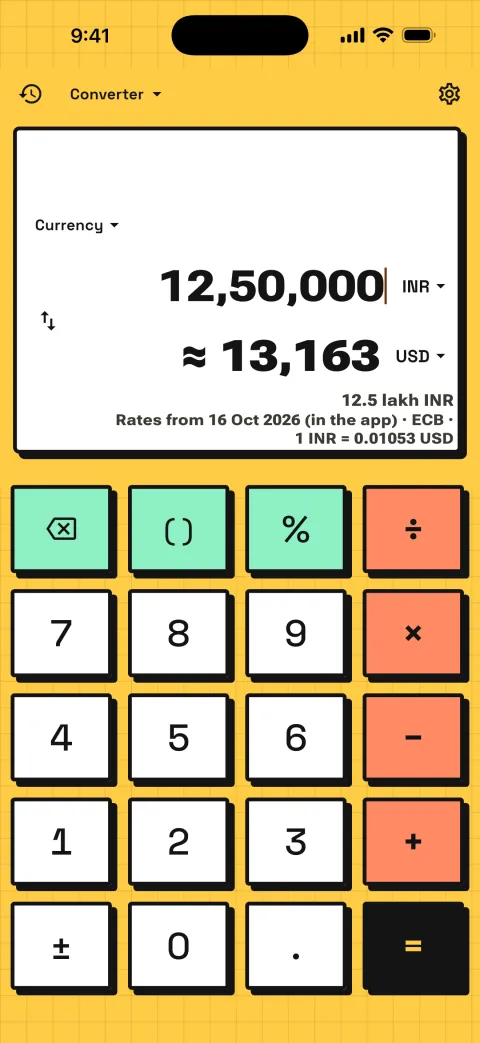
Tap the mode name at the top of the calculator and choose Scientific or Converter. Both take on whatever theme you're in.
- Every function, on every phone
- sin, cos and tan and their inverses, sinh, cosh and tanh, ln, log, powers and roots, x!, 1/x, π, e and EE. Small phones get a page key, so nothing is out of reach.
- A 2nd key
- Tap 2nd for the inverse functions, x², eˣ and 10ˣ. It stays on until you tap it again.
- DEG, RAD and GRAD
- The angle unit is always on the display, and one key switches it.
- Memory that stays
- MC, MR, M+, M− and MS, with the value shown as “M 42”, kept until you clear it.
- Sideways for more
- Turn your phone sideways in Basic mode and the scientific keys appear.
- 15 kinds of unit
- Length, weight, area, volume, temperature, speed, time, data, fuel economy, energy, power, pressure, force, angle and currency.
- Indian units
- Tola, seer and maund; gaj, guntha, cent, ground, marla and kanal; and bigha, by state.
- Exact, not approximate
- Every conversion factor is an exact fraction, so 98.6 °F is exactly 37 °C.
- Currency that works offline
- Over 50 currencies at ECB reference rates bundled with the app and refreshed with each update. Amounts show in lakh and crore too.
- Two fields and a swap
- Type in either field, swap with one tap, and your units are remembered for each category.
And everything a good calculator needs.
- History you control
- Saved on your phone for as long as you choose, searchable, one tap to reuse. Pin the ones you need and export it all as a spreadsheet file. Or don’t save it at all.
- Percent, spelled out
- “1,000 + 18% (+180)” shows the amount the percentage added, not just the total.
- Number formats
- Indian lakh and crore grouping, or international commas.
- Left-handed layout
- Moves the operators to the left side of the keypad. See it.
- One-handed mode
- Moves the keypad toward one thumb on wide phones.
- Picks up where you left off
- An unfinished sum is still there when you come back.
- Reduce motion
- Themes fade instead of moving.
- Haptics
- A light tick on every key, tuned to each theme family. Off with one switch.
- Keyboard on desktop
- Type sums on a real keyboard; ] and [ change the theme.
Try it in your browser.
Some of Calsee’s maths, free on the web. Exact, like the app, and nothing you type leaves your browser.
- Scientific calculatorTrig, logs and powers, with exact answers.
- Number to wordsLakh and crore, million and billion, or Hindi.
- Cheque amount in words“Rupees … and … Paise Only”.
- Lakh and crore converter1 crore = 10 million, and every other step.
- GST calculatorAdd or remove GST, with CGST and SGST.
- Land area converterBigha, gaj and guntha to acres and square feet.
- Tola to gram1 tola = 11.6638 g, and back.
- Left-handed calculatorOperators under your left thumb.
Swipe the display. Get a new theme.
Each swipe generates a theme on your phone in one of twelve styles: palette, key shape, press motion, type, background and sound, all from one seed. There are millions of combinations, and a hand-made hero turns up every few swipes. Swipe back and the last theme returns exactly.
Every theme is checked for contrast before you see it, so key labels always read clearly. Want even more? Turn on Accessible themes for 7:1 contrast. Found one you love? Lock theme keeps it.
-
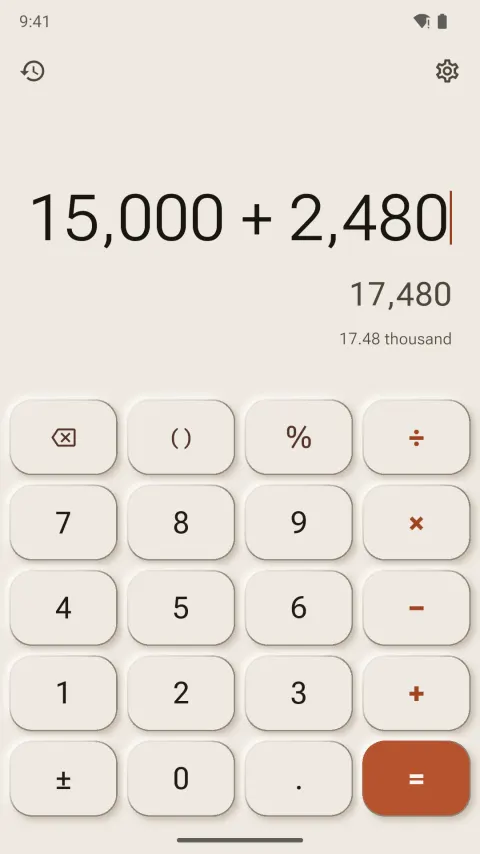
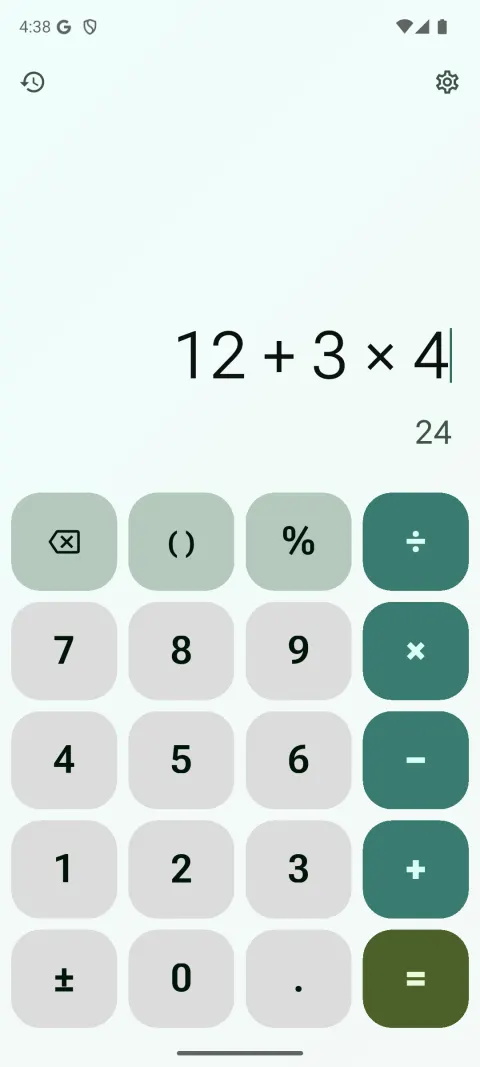
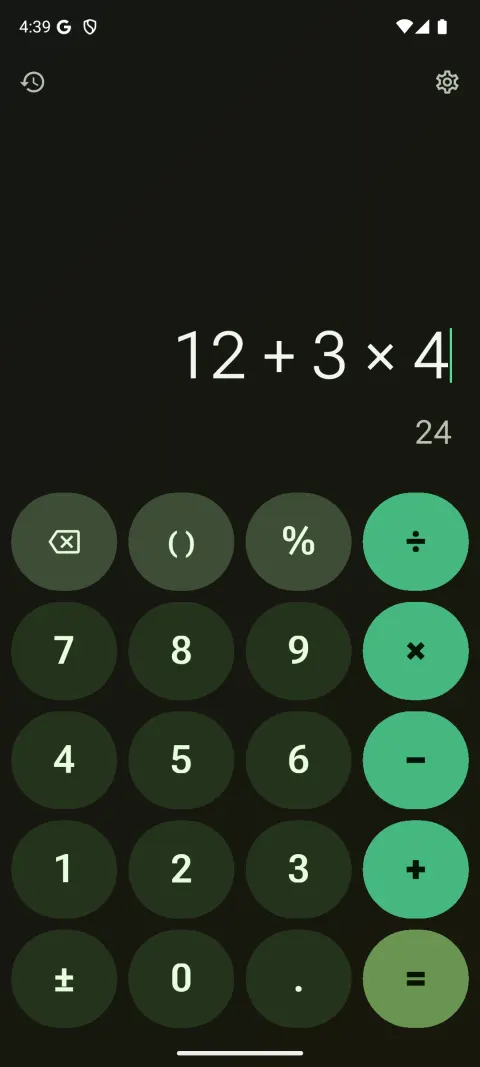
Material 3 Expressive
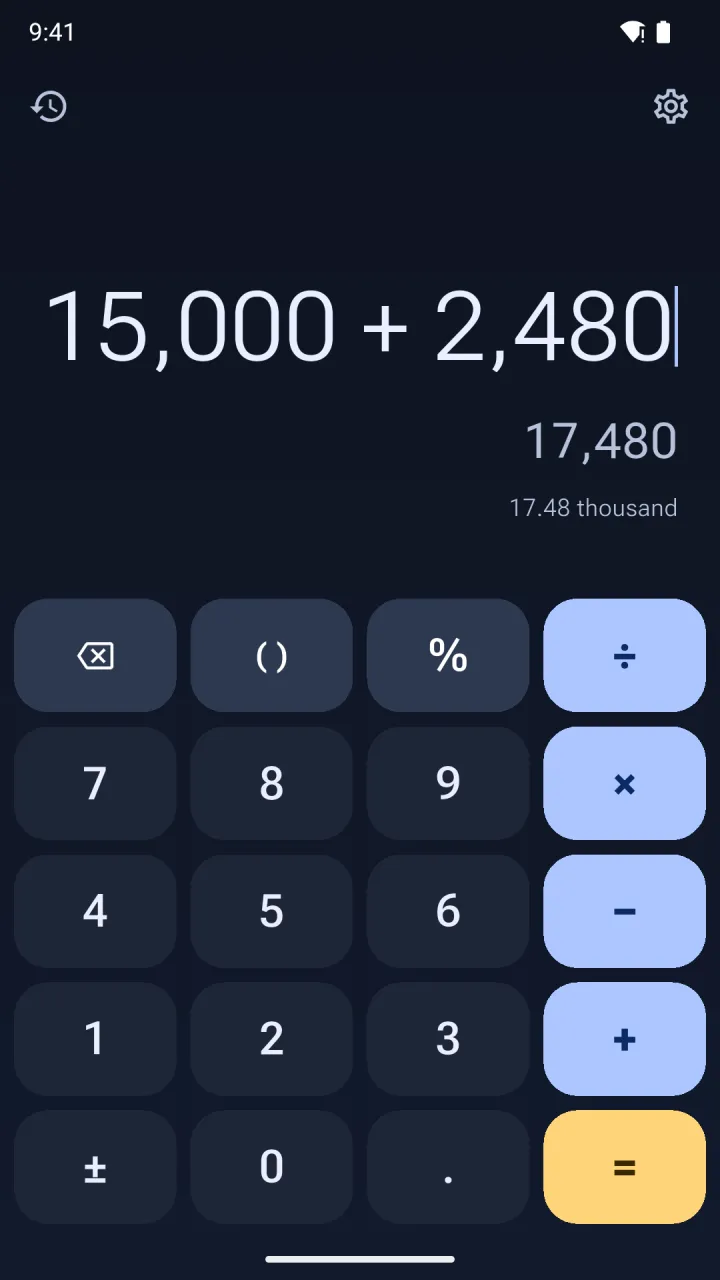
Tonal colour and bold type. Keys are circles, pills and squircles, with cookie and clover operators that morph as you press.
- Press
- Corners squeeze, the key springs back
- Sound
- Soft tap
-
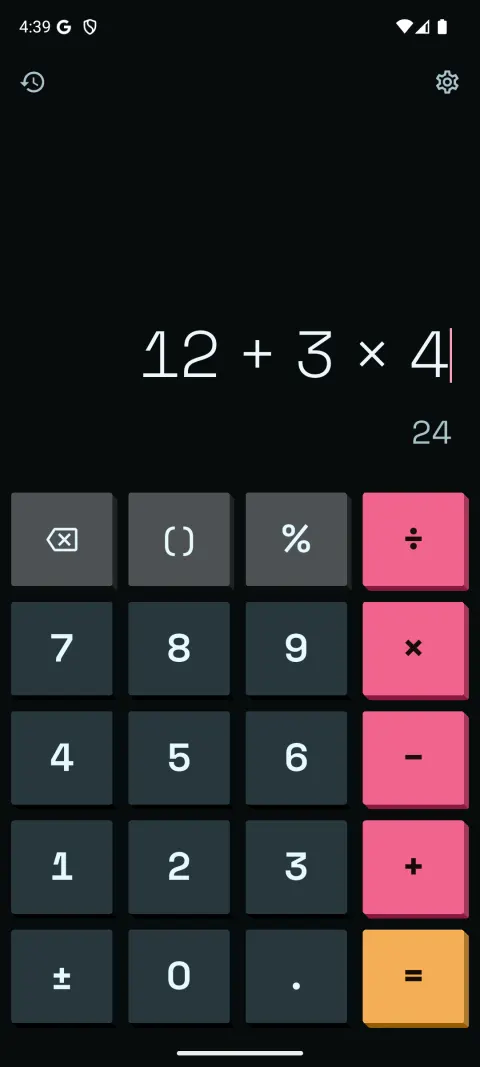
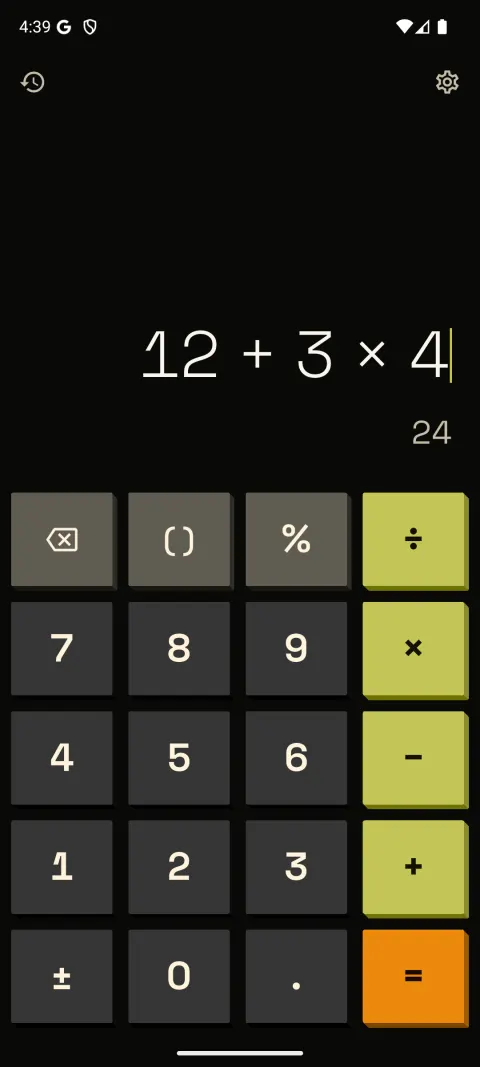
NeoPOP
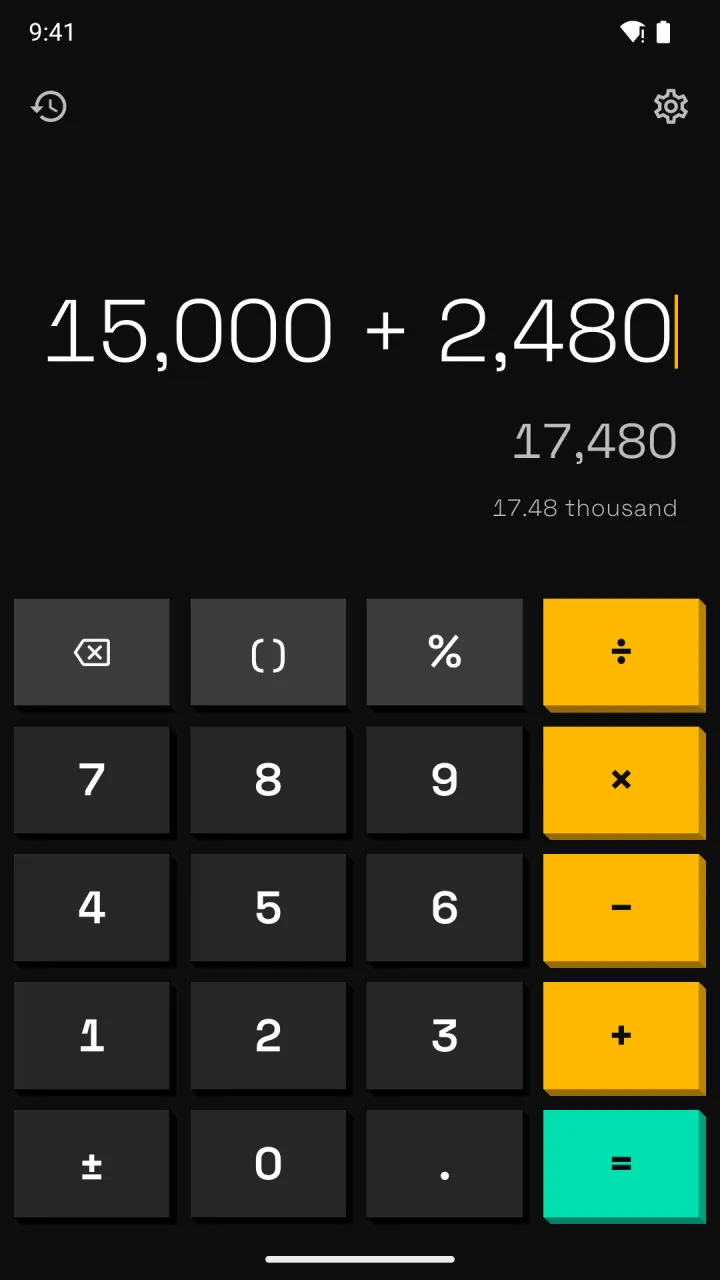
A dark base, flat saturated colour and hard extruded edges. Keys physically drop into the case when you press them.
- Press
- Moves down 3–5 dp, no tint
- Sound
- Pop
-
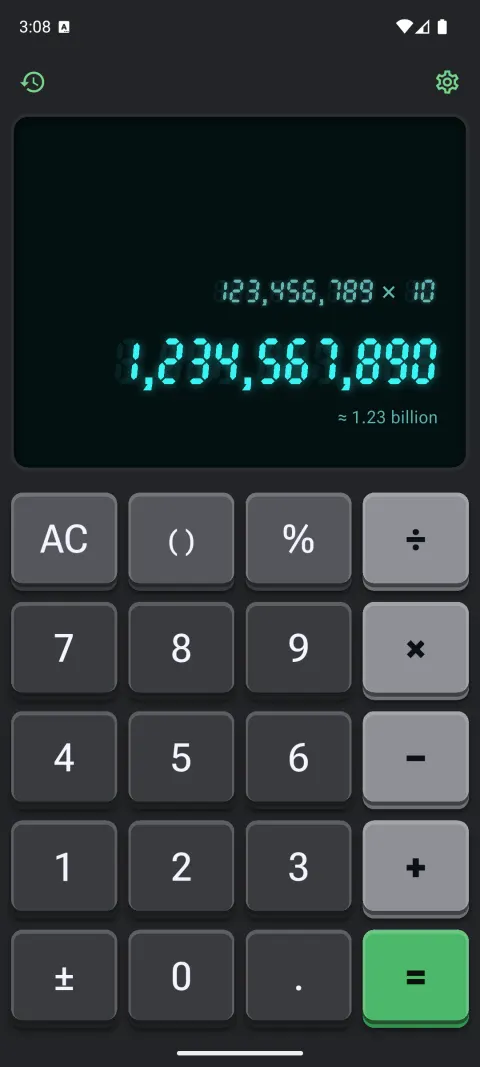
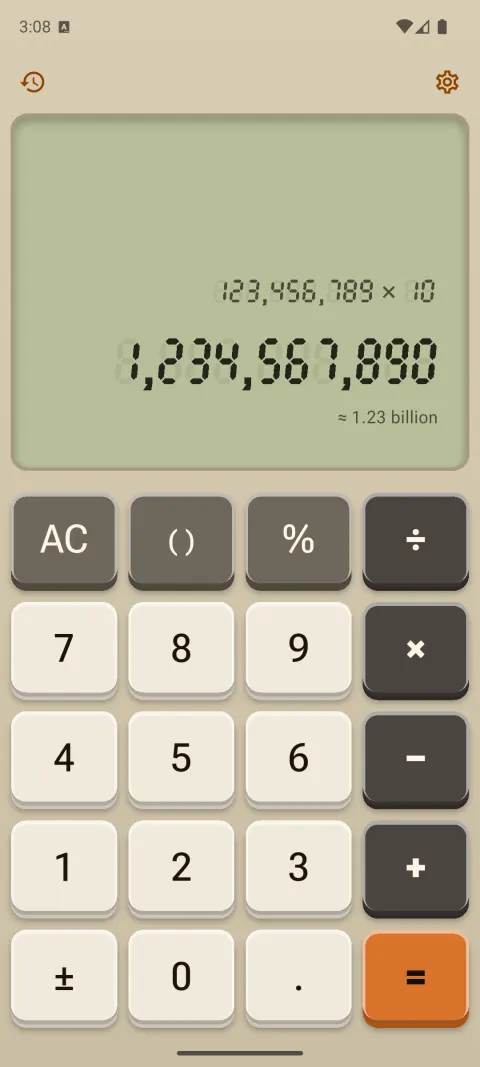
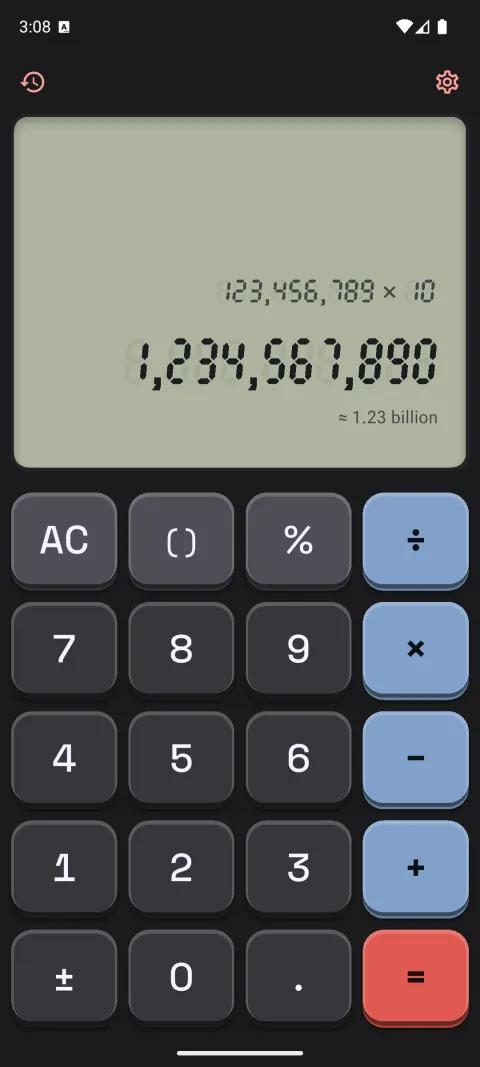
Retro hardware
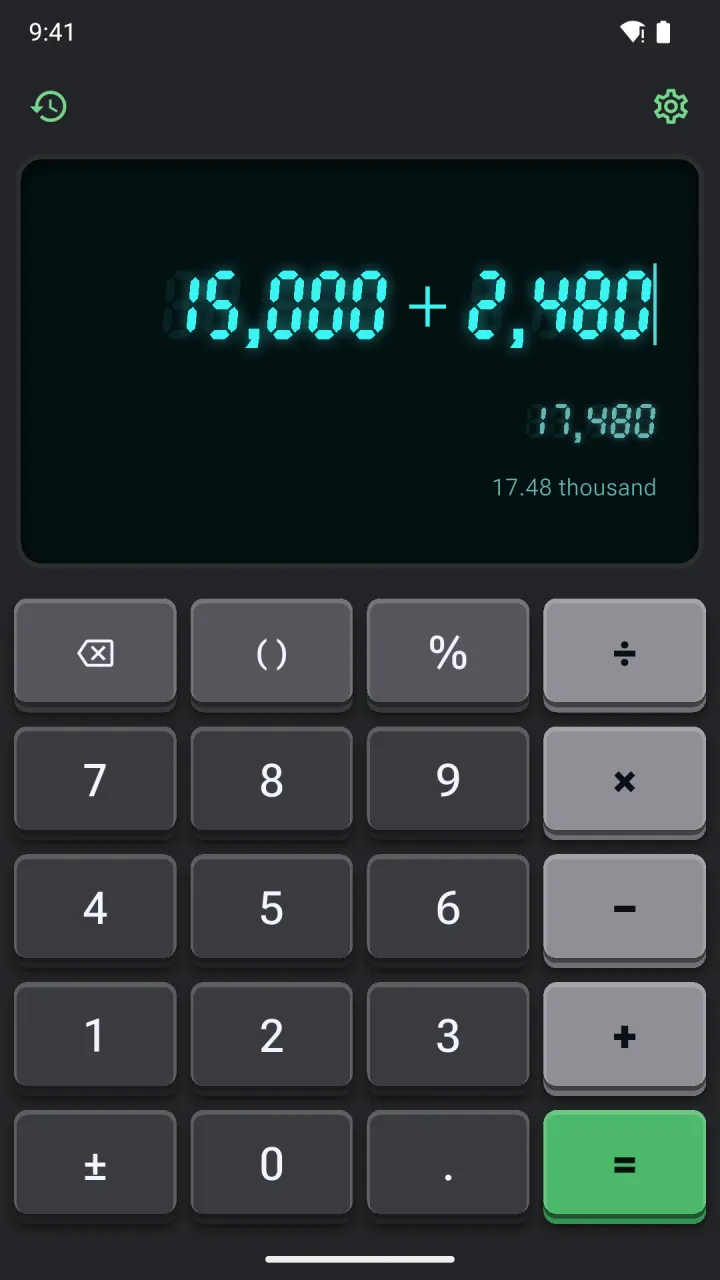
Beige desk and black pocket calculators with real keycap travel, and a seven-segment display: a classic LCD, or a vacuum-fluorescent tube that glows.
- Press
- Bevels flip, a mechanical tick on release
- Sound
- Retro beep or mechanical clicky
-
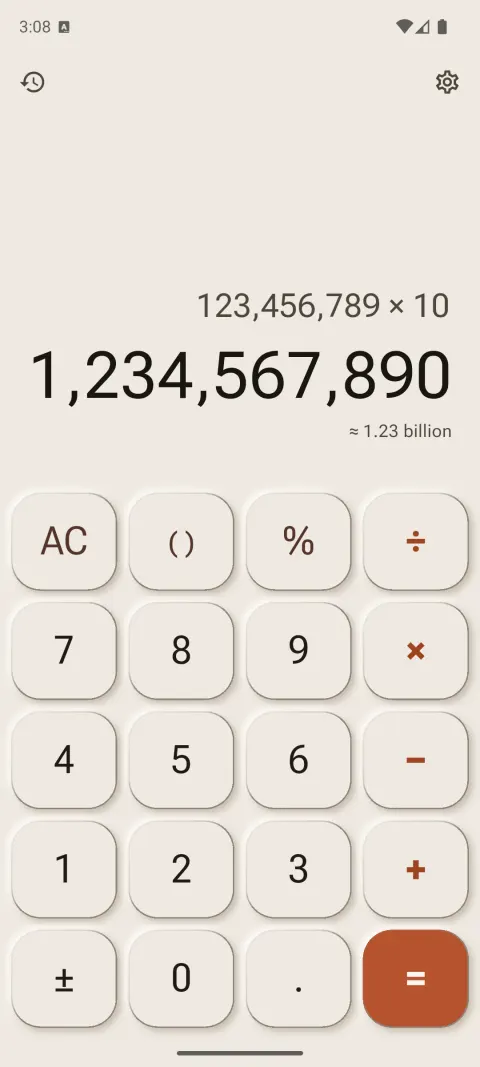
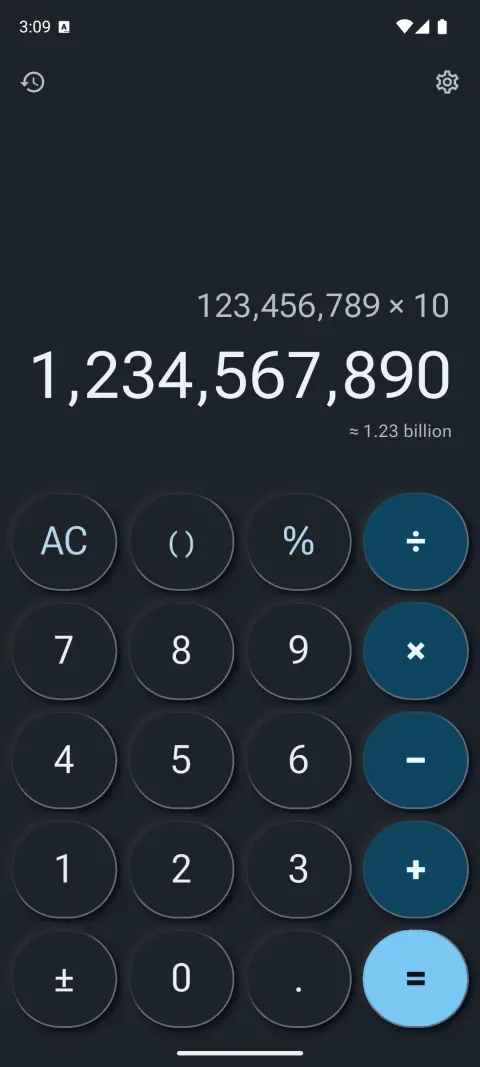
Neumorphism
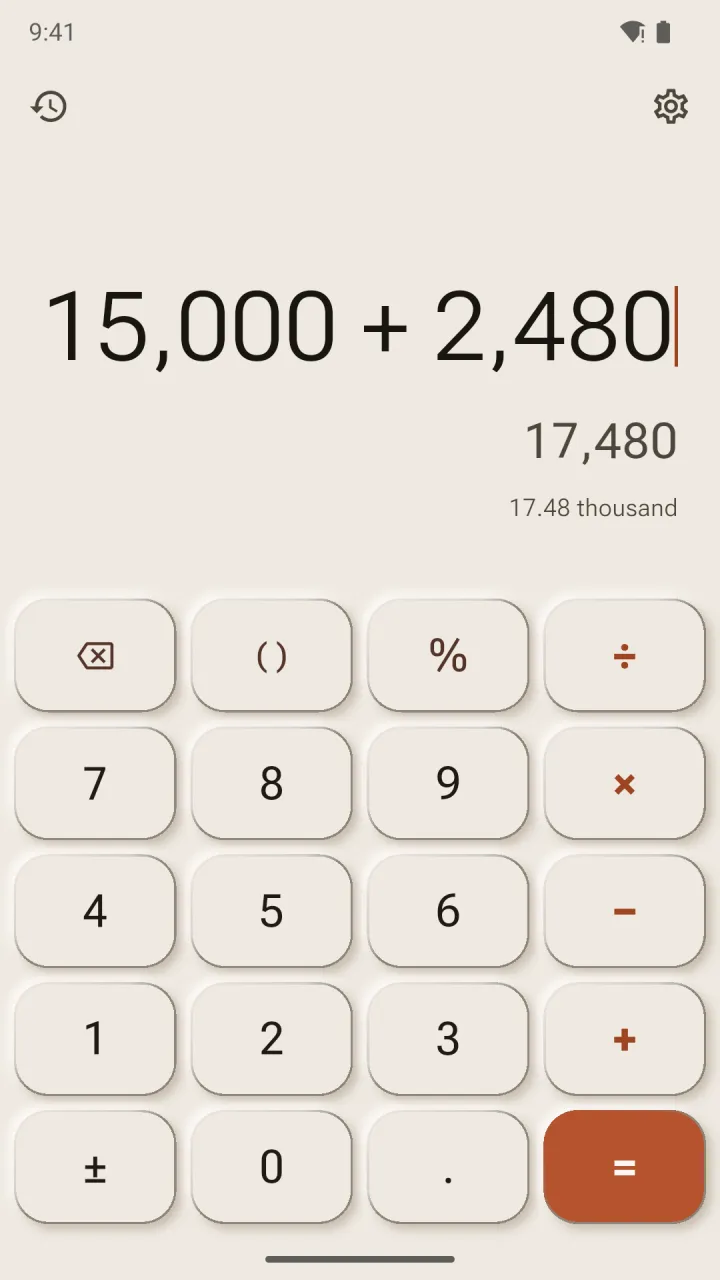
Soft, sculpted keys pressed out of one surface, tuned to pass the contrast checks that classic neumorphism fails.
- Press
- The shadow flips inward
- Sound
- Tick
-
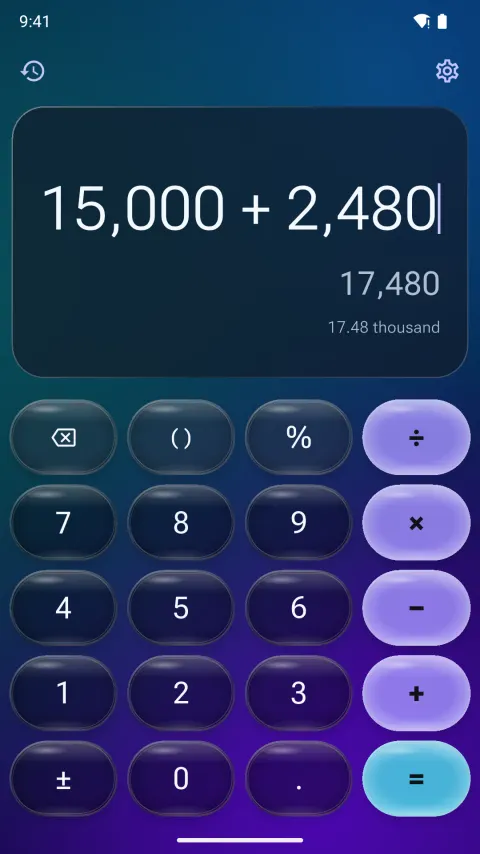
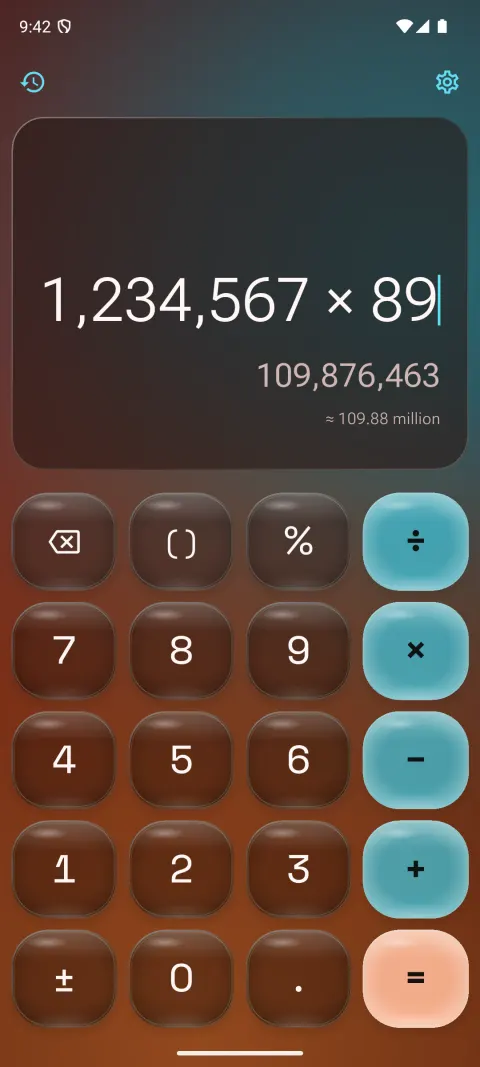
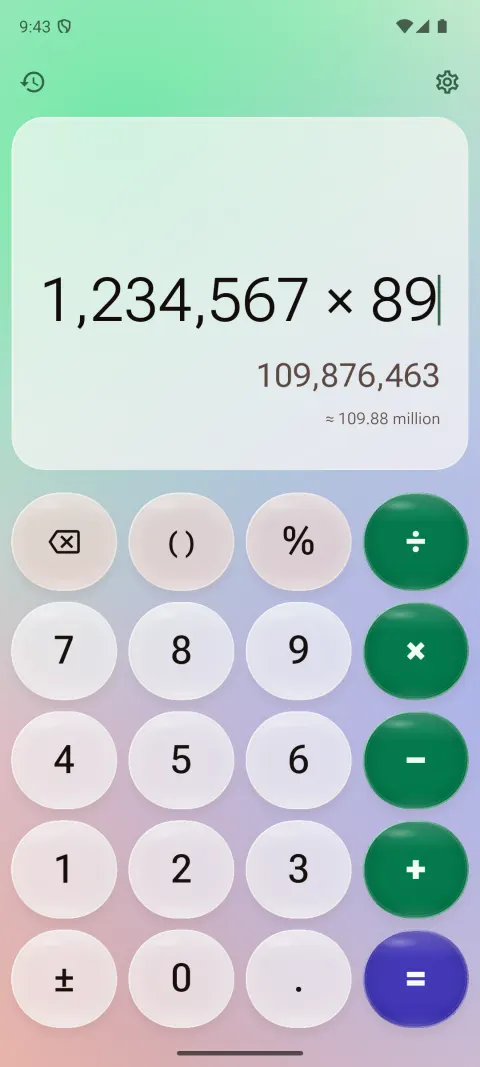
Liquid Glass
Translucent keys float over a slowly drifting colour mesh, each with a specular highlight and a light-catching rim. Dark smoky glass or milky light glass.
- Press
- The key inflates and glows, then wobbles back like jelly
- Sound
- Glass
-
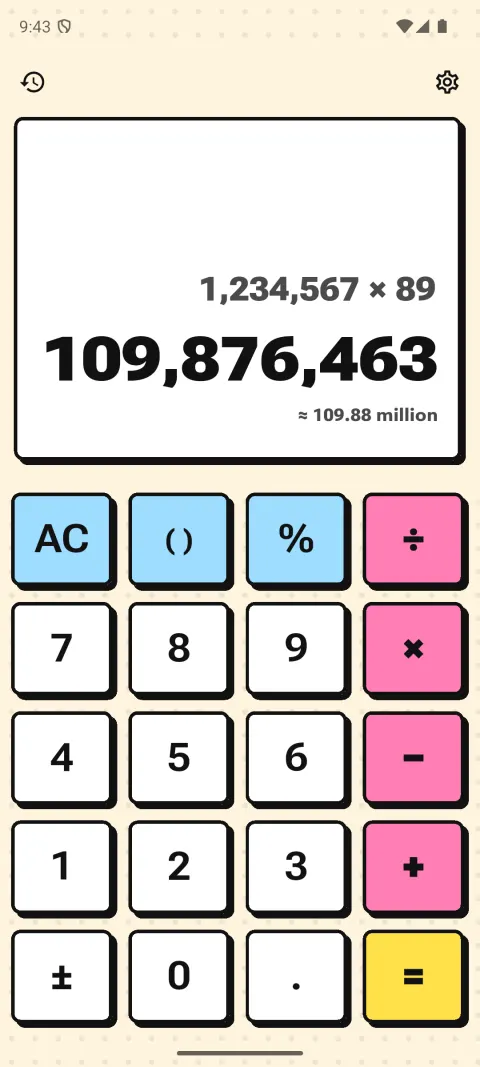
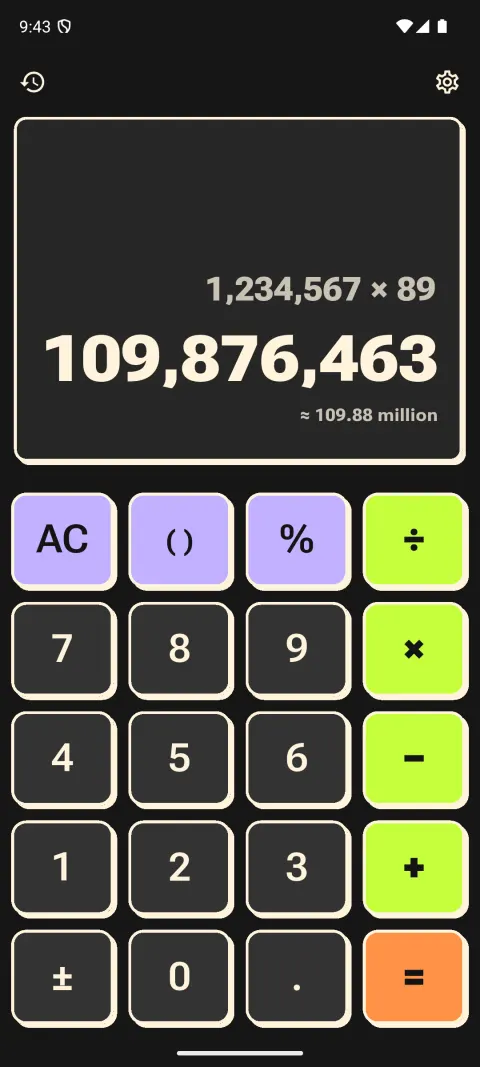
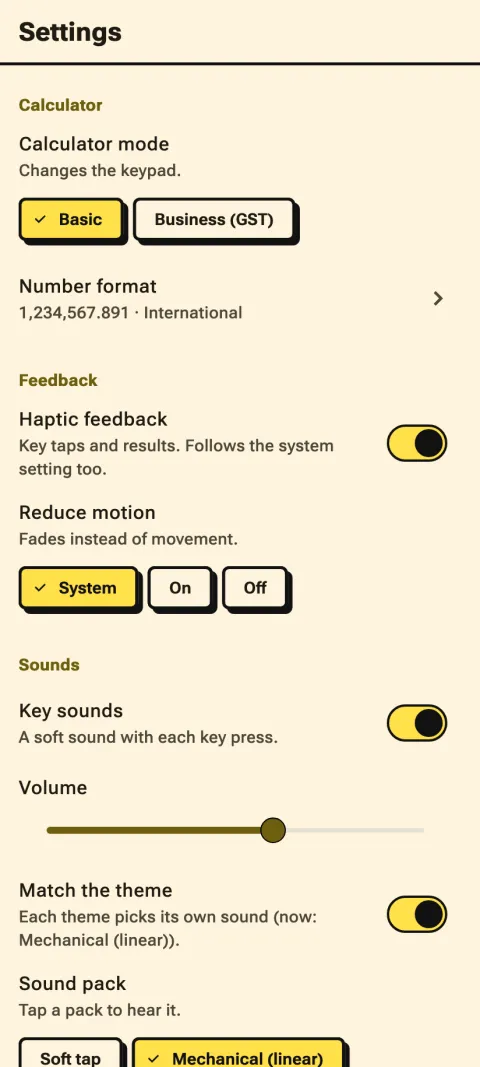
Neo-brutalism
Flat paper or bold poster colours, thick ink outlines and hard, unblurred shadows. Operators in loud, saturated flat colour.
- Press
- The key slides into its own shadow
- Sound
- Mechanical (linear)
-
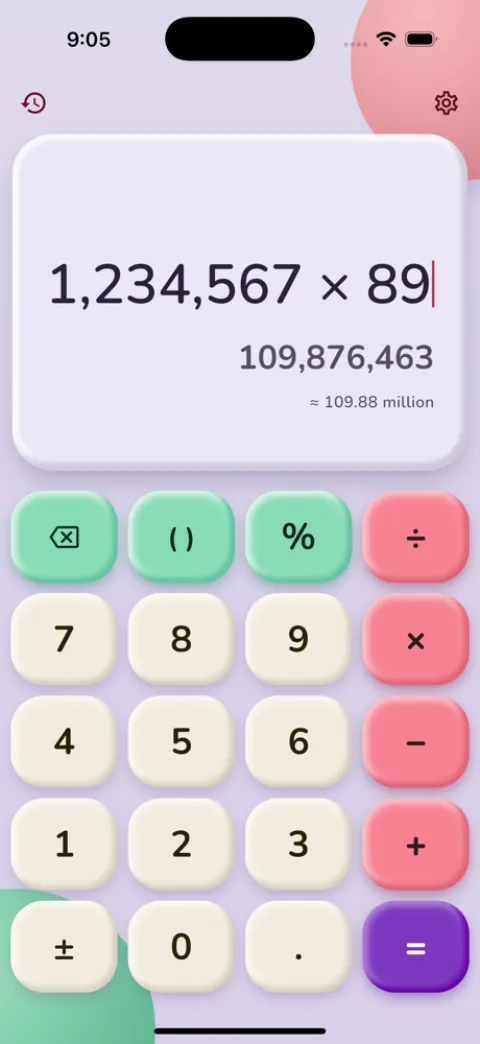
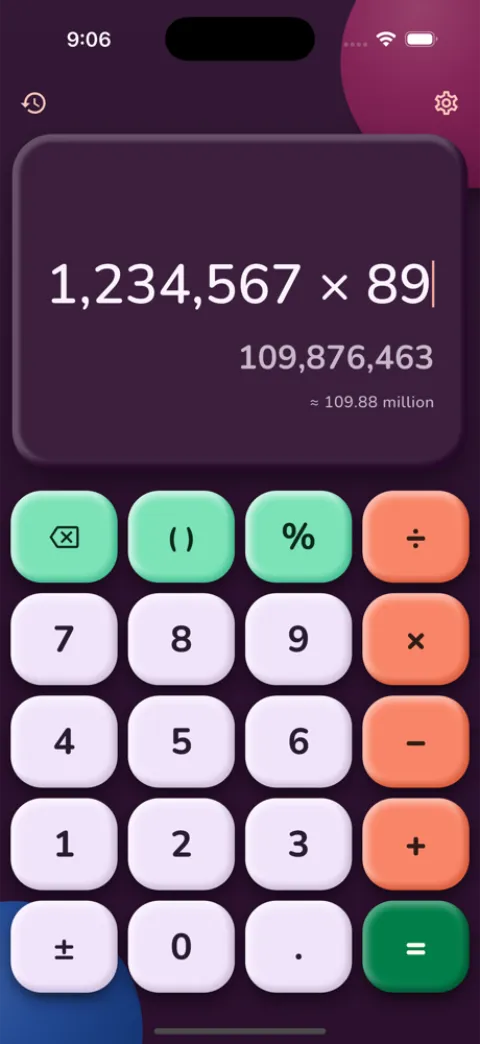
Claymorphism
Big, puffy keys moulded from soft pastel clay, with a tinted shadow and a gummy, deeper-coloured equals key. Candy, tonal or night colours.
- Press
- The key squashes down, then springs back
- Sound
- Pop
-
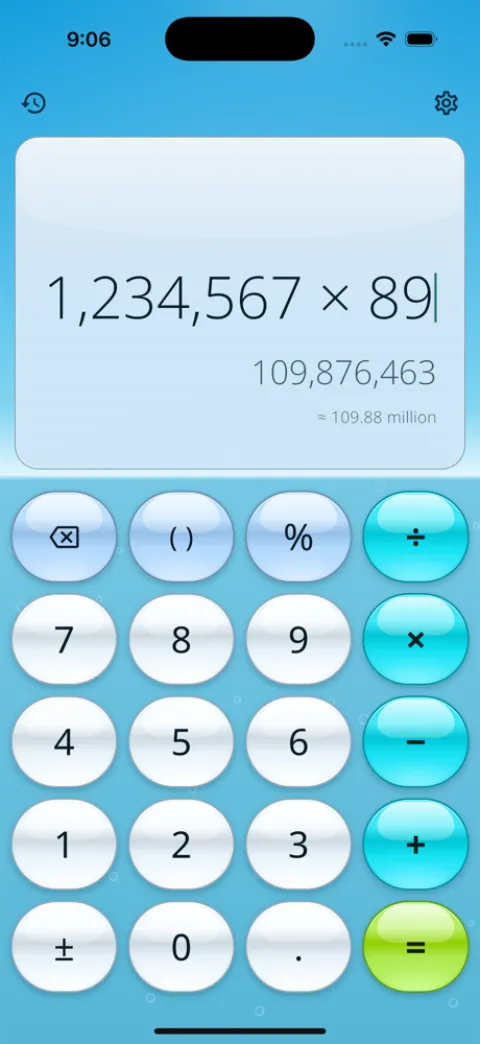
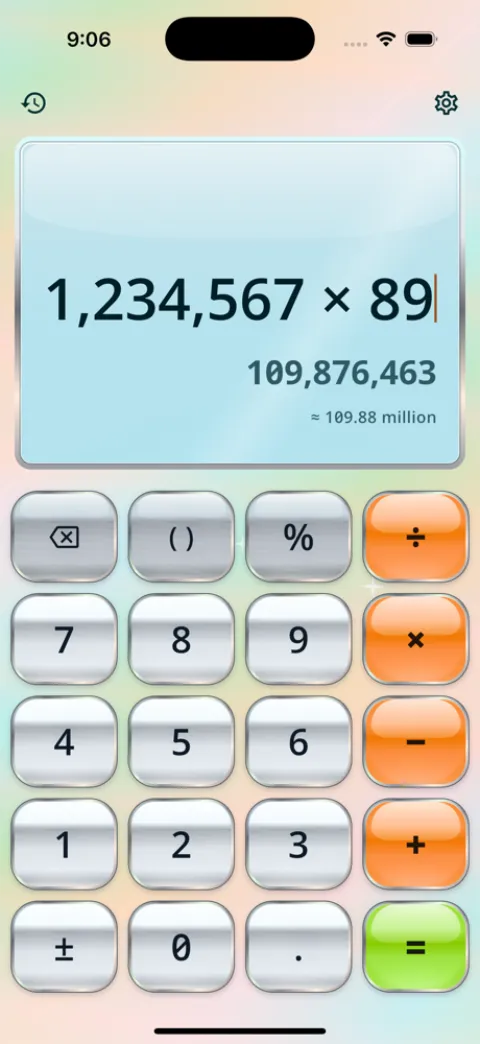
Y2K Aero
Glossy gel buttons with a bright specular cap over an azure sky, sunlit hills or deep lagoon water. Or satin chrome with holographic foil.
- Press
- The gloss flares toward your finger, then a sheen sweeps across
- Sound
- Glass
-
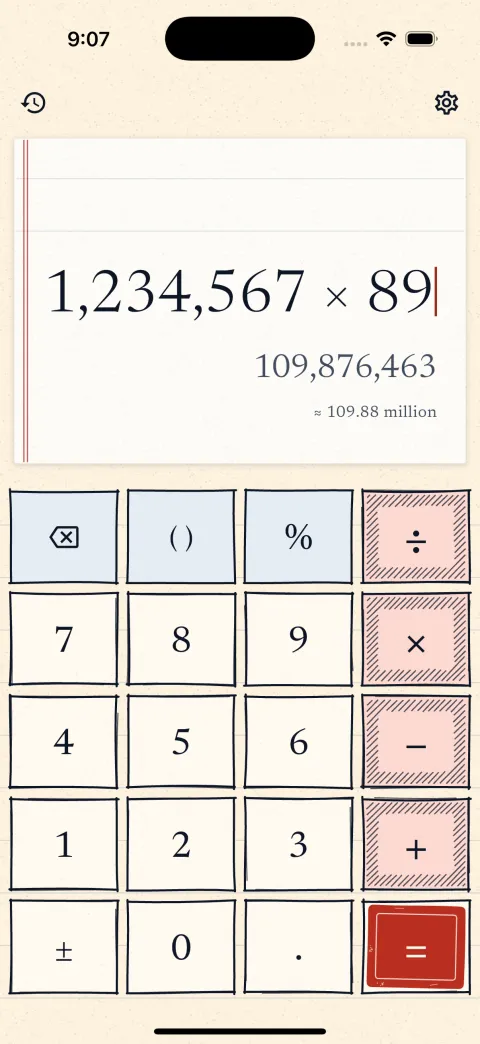
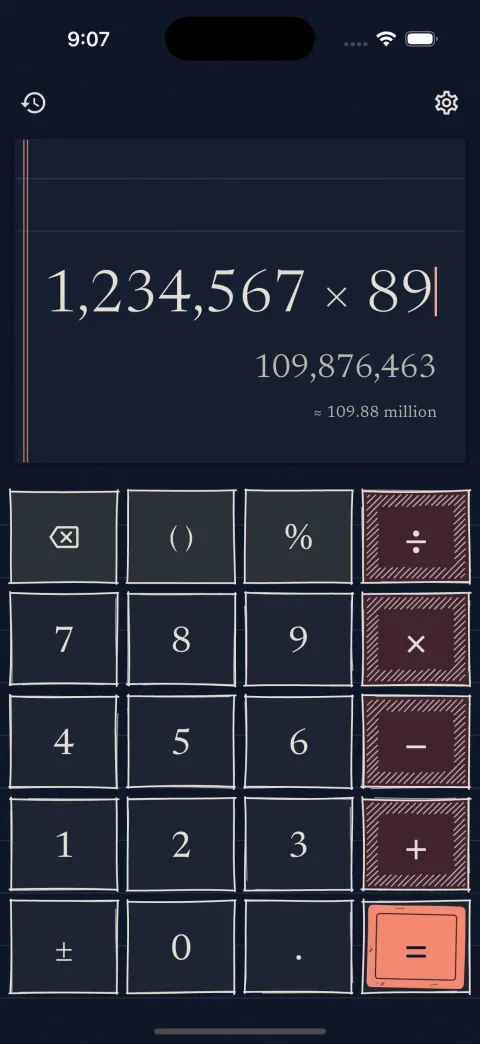
Paper and ink
Hand-drawn keys in fineliner ink on cream, graph or blackboard paper. Operators are hatched and the equals key is a rubber stamp.
- Press
- The outline redraws and an ink blot spreads
- Sound
- Typewriter
-
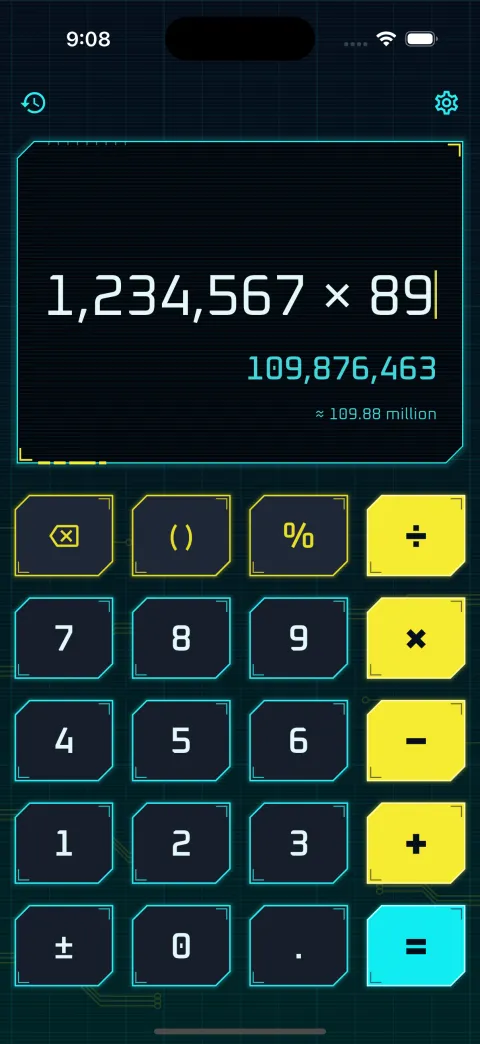
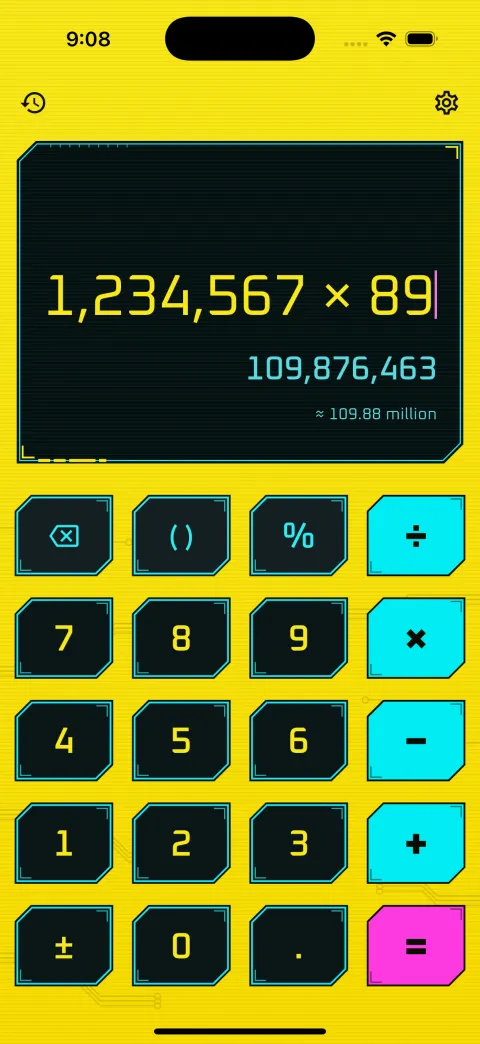
Cyberpunk
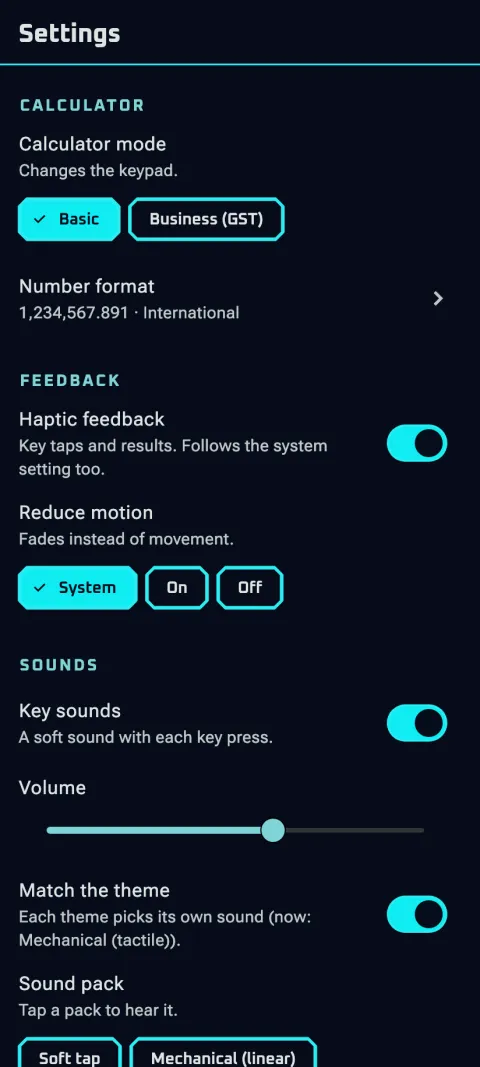
Dark chamfered plates with a neon edge over a glowing grid and circuit traces, solid neon operators and a HUD display.
- Press
- The neon flares and the plate plunges
- Sound
- Mechanical (tactile)
-
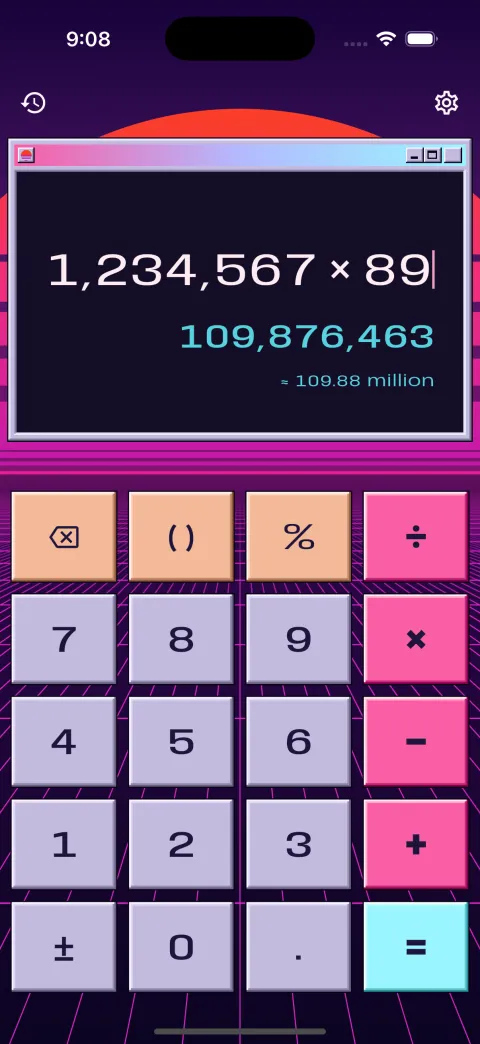
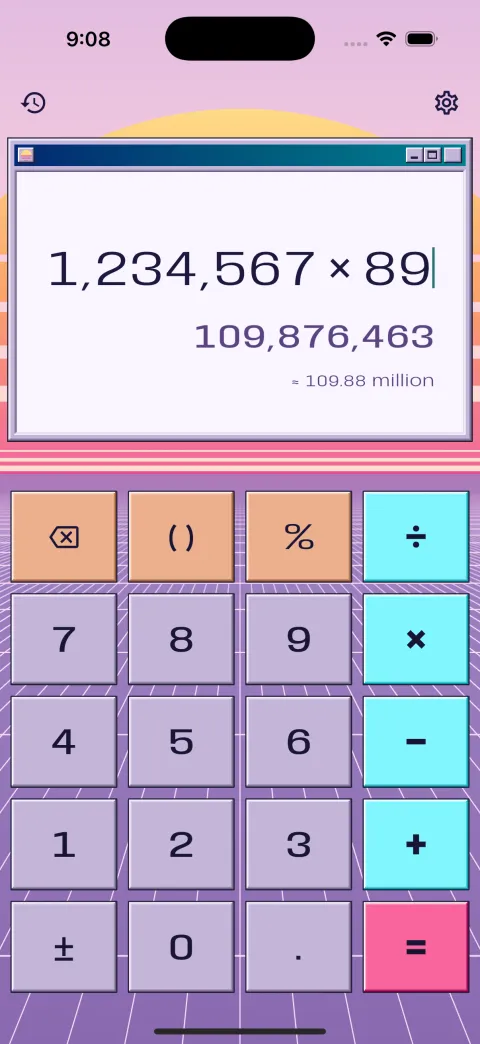
Vaporwave
Pastel Win95 buttons in a desktop window, with a striped sunset sun sinking into a neon grid that drifts below.
- Press
- The bevel flips inward
- Sound
- Soft tap
-
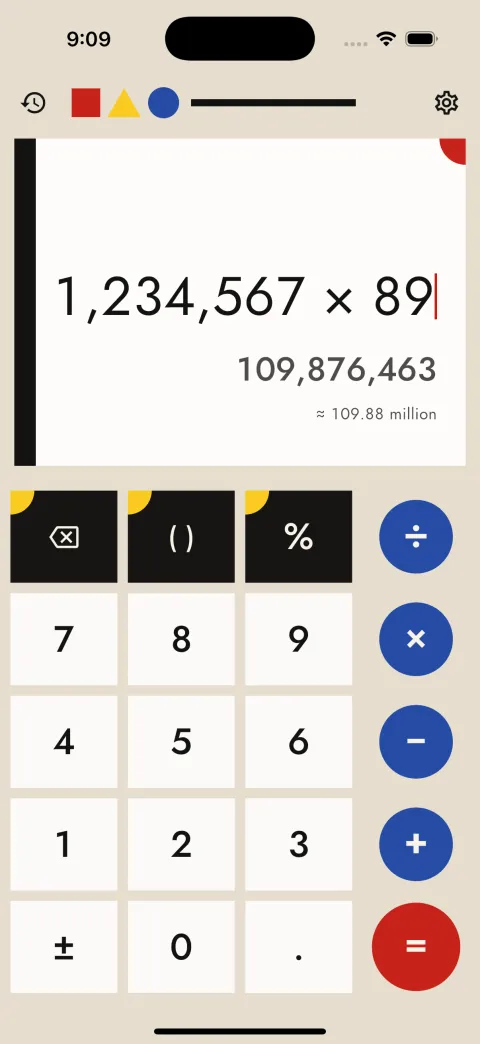
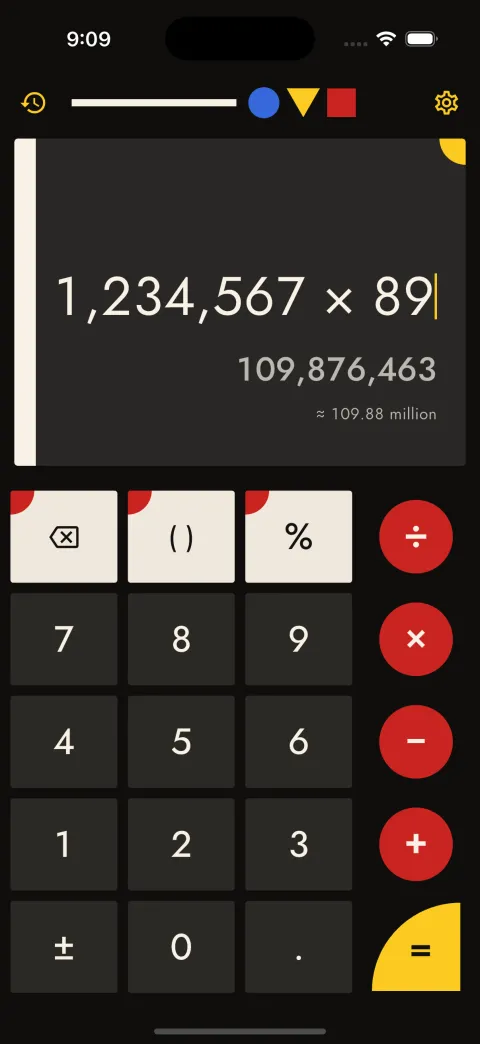
Bauhaus
Red, yellow and blue on cream or black, and nothing else. Digits are blocks, operators are discs, and the equals key is a bold shape of its own.
- Press
- Figure and ground swap, no bounce
- Sound
- Wood
-
Settings change with it
Settings, history and dialogs take on each style too: its type, corner shapes, borders and surfaces, not just its colours. Paper and ink titles are handwritten, Cyberpunk panels have cut corners and neon edges, and Neo-brutalism keeps its thick outlines and hard shadows.
With Accessible themes on, settings stay plain and high-contrast.
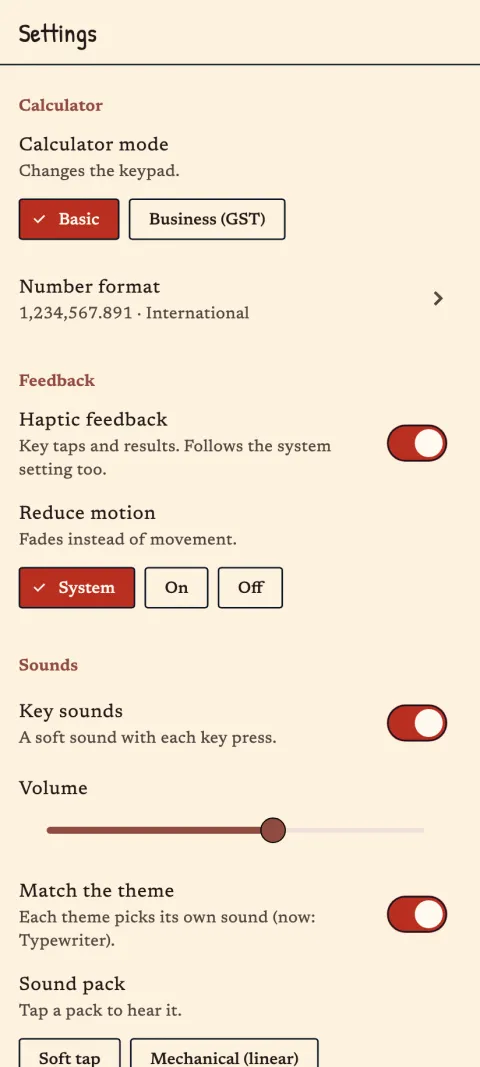
Every key has a sound.
Eleven sound packs, from mechanical switches and a real typewriter (recorded, not synthesised) to a 90s calculator beep and 8-bit chiptune on some retro themes. Each theme brings a matching pack, or you pick one and keep it. Sounds follow your phone’s silent switch, and the haptics change with the theme too.
Packs: soft tap, mechanical linear, tactile and clicky, typewriter, retro beep, pop, wood, chiptune, glass and tick.
These are the app’s own sound files. Turn your volume up.
Nothing you type leaves your phone.
- No accountOpen it and start calculating.
- No ads, analytics or trackingNo crash reporting or advertising ID either.
- Works offlineCalsee makes no network requests. On Android it doesn’t even ask for internet access.
- Your history stays yoursKept only on your device. Clear it any time; uninstalling removes everything.
This website follows the same rule: no cookies, no analytics, nothing loaded from anyone else.

Calsee is here.
Out now on the App Store for iPhone and iPad, and on Google Play for Android phones. Versions for macOS, Windows and Linux are in the works.